From Days to Minutes: How AdaptAI Automates Packaging Artwork Adaptation


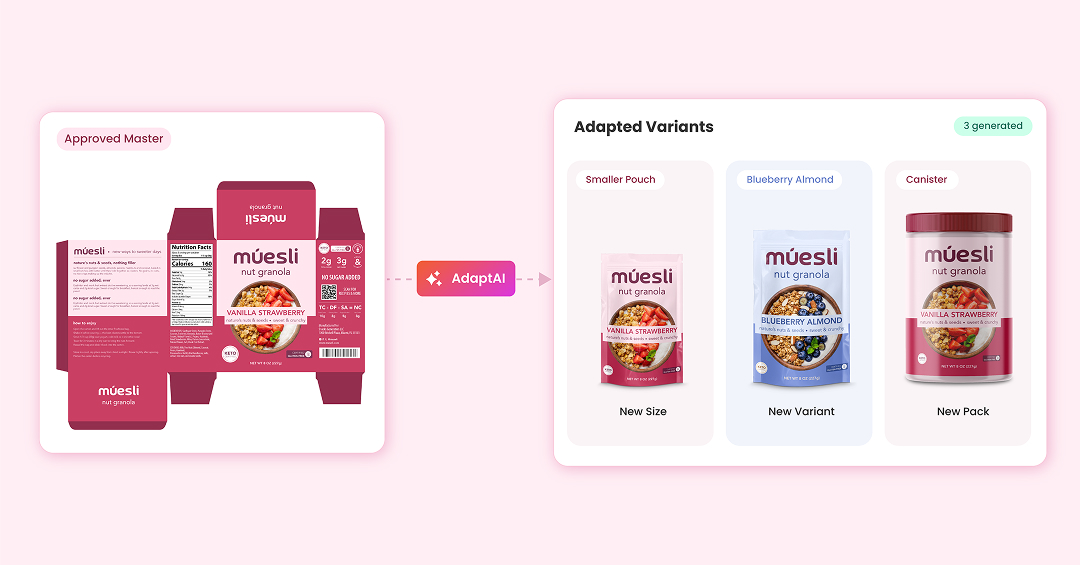
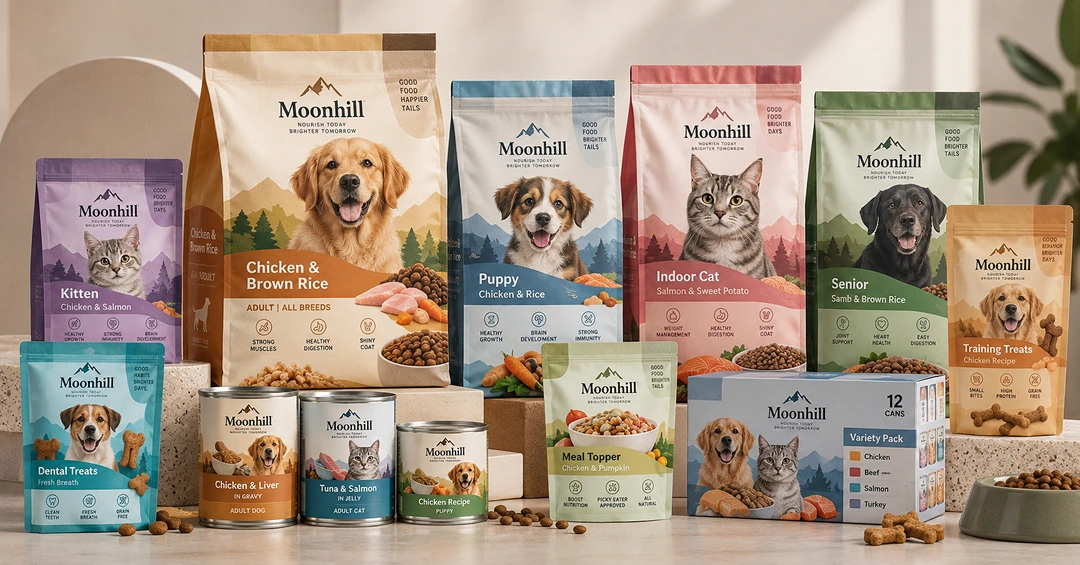
Every packaging team knows the moment. The artwork finally gets approved. Then someone asks for the same design on the 1-liter bottle, a 2-liter pack, a travel variant or a new market.
Each version goes back to a designer, who has to recreate the approved design on a new dieline, update the relevant elements and make sure everything is ready for production. The design may already exist, but adapting it can still take days of repetitive work.
AdaptAI changes how that work gets done.
Built directly into Adobe Illustrator, AdaptAI takes approved packaging artwork and recreates it for new packaging requirements. Designers select the source artwork, choose the target dieline, define the changes needed and let AdaptAI handle the adaptation.
What once required days of manual rebuilding can now be completed in minutes, with the recreated artwork returning to Illustrator for review.
AdaptAI operates as a panel inside Adobe Illustrator, allowing designers to work in the environment they already use.
The process is straightforward:
As the adaptation runs, the panel displays its progress, from reading the original design and measuring the dieline to matching panels and laying out each face.
A typical pack takes around one to five minutes, depending on its complexity and the amount of copy involved.
The original artwork remains untouched, and the recreated version is saved as a new file within the target dieline.
Adapting artwork to a different packaging format isn't simply about moving objects around until they fit.
The relationships between design elements, their alignment, and the reading order all contribute to how the final pack looks and communicates.
AdaptAI uses the approved artwork as its design foundation, preserving these relationships while adapting the layout to the new packaging structure.
When the target packaging has a significantly different shape, AdaptAI can reorganize the layout to make better use of the available space. It can rewrap text, find available areas and move content into new columns while retaining the designer's intended reading order.
A packaging dieline contains more than an outline. It defines the structure of the finished pack, including its panels, folds, flaps and designated areas for different artwork elements.
AdaptAI interprets this structure when recreating artwork.
It identifies the front and back panels, understands which sections fold over and ensures artwork on lids and flaps is oriented correctly when the pack is assembled.
It also accounts for production-specific areas and requirements:
The objective is to recreate artwork that works with the actual packaging structure, not simply a different-sized artboard.
A recreated artwork needs to retain its production requirements as well as its visual design.
AdaptAI carries important print-specific details through the adaptation process, including:
These checks help ensure that adapting an artwork doesn't compromise the production details already established in the approved design.
A new packaging version often comes with changes to product information. Net quantities, claims, ingredients, addresses and other statements may need to be updated.
AdaptAI can bring this information into the adaptation process from different sources, including:
It compares the existing content with the information required for the new pack, updating changed text, removing outdated content and introducing new statements where needed.
When the new artwork requires statements that aren't present in the original, designers can provide a reference artwork that already contains those statements. AdaptAI uses it to understand how the new content should be placed.
It also follows an important safeguard: it will never remove the last mandatory statement of its kind from a pack.
Beyond copy, designers can define colour, image and font replacements during adaptation. Replacement images retain the original image's window and crop, while new fonts are measured before layout so that changes in text wrapping can be accounted for.
Not every artwork change requires a new packaging format or dieline. Sometimes the structure stays the same, and only specific elements need to change.
AdaptAI's 'Edit this artwork' functionality supports these updates directly within an existing artwork.
Designers can:
Everything outside the requested changes stays as it was. The edited artwork is saved as a new version rather than overwriting the approved file.
A copy update, new claim or visual change rarely affects just one artwork. It may need to be carried across multiple sizes and variants within a product range.
With 'Run a folder', AdaptAI supports bulk artwork adaptation and editing through a single workflow.
Each folder contains the artwork and the information required for its adaptation, such as a target dieline, updated copy or both.
Designers can also define a shared change list and apply the same replacement instructions across multiple artworks.
Before processing begins, a dry run provides a preview of the intended changes, including the copy updates for each artwork. If one file encounters an issue, the remaining files can continue processing.
Teams can also pause a batch and resume it later. Each completed result is saved in its own folder with an accompanying log, ready for designer review.
Packaging artwork requirements can differ across markets. A statement that meets one country's requirements may not meet another's, making market-specific validation an important part of artwork adaptation.
When new copy is introduced, AdaptAI checks the resulting artwork against the applicable market rules, including requirements such as the minimum letter height for net quantities.
It identifies the market using information available in the artwork, such as manufacturer and marketer addresses, contact details and regulatory marks. Product categories are mapped using the company's own category list, while administrators configure which regulatory bodies apply to each country and category.
AdaptAI doesn't apply one country's rules to another market. If the artwork doesn't provide enough information to establish where the product will be sold, it flags the missing information rather than making an assumption.
It also flags text below the 1 mm capital-height readability minimum for review.
Automating artwork adaptation doesn't mean removing the designer from the process.
Every recreated artwork returns to Illustrator marked UNVERIFIED until someone reviews it. AdaptAI also runs an automatic QA check against the finished file to show whether the requested changes have been correctly applied.
The check covers:
Each check is marked as passed, warning or failed. Designers can select individual results to see what was measured, why an issue was flagged, and which elements need attention. The corresponding objects are highlighted directly in Illustrator.
A 'Contents list' also tracks individual copy statements and images, identifying content as changed, added, unchanged or kept as printed. If a statement doesn't appear in the recreated artwork, it is explicitly marked as not found.
Failed checks must be corrected or accepted with a documented reason. If someone manually edits the artwork after the check, it must be checked again before acceptance.
Once the artwork passes review, the designer can accept it. AdaptAI records who approved the file and when, with the option to save a PDF receipt alongside the recreated artwork.
The idea is simple: designers shouldn't have to trust an automated result blindly. They should be able to inspect exactly what changed and verify what made it onto the pack.
Not every artwork can be adapted successfully to every packaging structure.
A target dieline may not provide enough space for the required copy, or its shape may be too different from the source artwork to support a reliable recreation.
When these limitations arise, AdaptAI refuses the adaptation and explains the reason, along with guidance on what needs to be addressed.
It won't silently remove required copy, reduce text below the legal minimum or position elements within a barcode's restricted clear space simply to complete a job.
A clear explanation of why an adaptation cannot proceed is more useful than an artwork that looks finished but isn't fit for purpose.
AdaptAI is designed to operate within a company's own working environment, with controls for users, files, and activity.
Each company has a dedicated space with its own users, product categories, regulatory configurations, and administrator-managed settings through a web portal.
Only the files a designer selects are sent for processing, rather than entire folders. Images are stripped before upload, with only their positions transferred.
Every adaptation run is recorded, including the files involved, the user who initiated it, the time, the panel version, and the market rules applied. Each run also has a unique identifier that can be used to access its complete record.
This provides teams with visibility into how artwork was recreated and the conditions under which the work was performed.
Instead of spending days recreating an approved design across different packaging sizes, shapes and variants, they can focus on reviewing the result and resolving the design challenges that genuinely need their attention.
For packaging teams managing large portfolios, this also changes how they approach artwork adaptation at scale.
As packaging portfolios continue to expand across products, sizes and markets, the volume of artwork that needs to be recreated will grow with them.
AdaptAI helps teams keep pace without making manual artwork adaptation the bottleneck.
Your approved artwork doesn't have to be rebuilt every time something changes. Let it become the starting point for what's next.
See AdaptAI in action.

AI automates artwork adaptation by analyzing approved artwork and target dielines, recreating layouts, adjusting design elements, updating copy and preserving print-specific details. This reduces the manual effort involved in preparing artwork for new packaging requirements.
Yes. AdaptAI can recreate artwork across different packaging structures, including cartons, labels, tins, pouches, folded drink cartons and wraps. It adjusts layouts to accommodate the target structure while retaining design relationships and reading order.
A typical packaging artwork adaptation takes around one to five minutes, depending on the complexity of the pack and the amount of copy involved.