Packaging Content for Amazon and Flipkart Listings in India



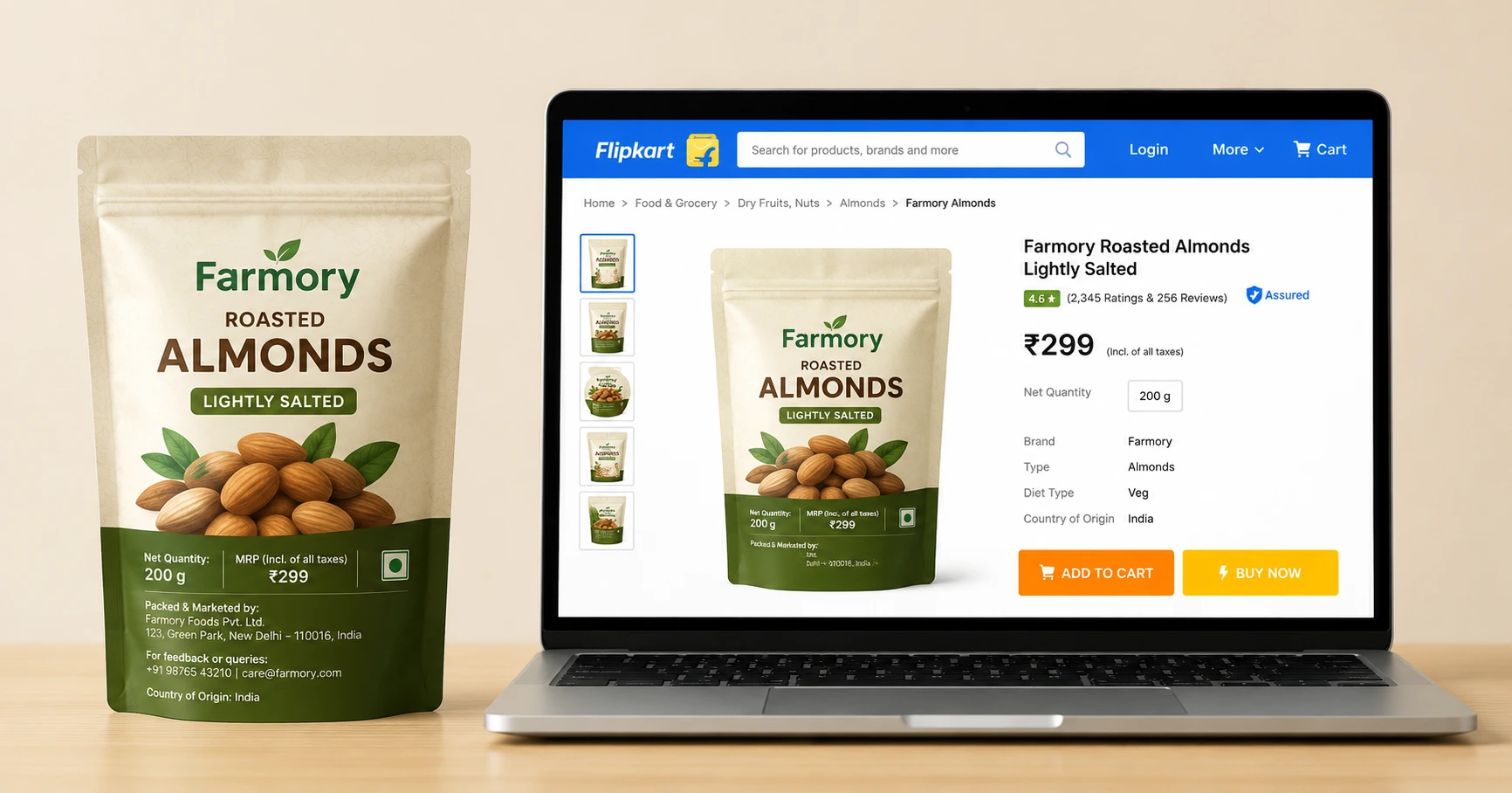


Selling on Amazon or Flipkart in India means managing two versions of your product content at once: what's printed on the pack, and what's shown on the listing. Both have to be accurate. Both have to match each other. When they don't, that's usually when listings get suppressed, not because the product is wrong, but because the pack and the listing disagree.
This blog covers what's mandatory on the pack under Indian law, what each marketplace checks on top of that, why pack and listing content drift apart in real operations, and a checklist you can run every time artwork changes.
Every pre-packaged product sold in India — online or offline — must carry certain declarations under the Legal Metrology (Packaged Commodities) Rules, 2011. Amazon and Flipkart both enforce these rules before a listing goes live, and both will suspend a listing that doesn't match.
At minimum, your pack needs:
Some categories carry extra requirements like FSSAI licence numbers for food products, BIS certification for electricals, toys, and packaged drinking water, and AYUSH or CDSCO approvals for wellness and pharma-adjacent products. A missing or mismatched licence number is one of the most common reasons a listing gets stuck at approval.
Most suspensions aren't caused by not knowing the rules. They're caused by the pack and the listing saying two different things. A pack with a revised MRP of ₹229 while the listing still shows ₹199 is a mismatch, even if both values were correct at some point. The same issue can arise when net quantity, license numbers, or country-of-origin details change. The fix isn't more compliance knowledge. It's a process that checks both sides every time the pack changes.
Each of the declarations above exists for a reason, and each one has a digital equivalent somewhere in your listing:
If any of this change during a pack redesign, the listing needs a matching update. That update is the step most teams miss.
Amazon's checks are largely automated. That means a listing can get flagged or suspended without a human reviewing it first, so catching problems before submission matters more than catching them after.
Common reasons listings get suppressed on Amazon:
Flipkart's process works differently. Instead of publishing first and checking after, many categories require approval before a listing can go live at all.
Key differences from Amazon:
A compliance process built only around Amazon's automated checks will miss the categories where Flipkart blocks listings at submission. Treat these as two different systems, not one.
This is where most compliance issues actually start. A few common causes:
None of these happen because a team doesn't know the rules. They happen because updating the pack and updating the listing are two separate tasks, done by two separate people, with no shared trigger connecting them.
One way to avoid these disconnects is to manage packaging copy and e-commerce content from the same source instead of maintaining separate spreadsheets, documents, and marketplace templates. Platforms like ManageArtworks let teams store approved pack copy, translations, and e-commerce content together in a single repository. When packaging content changes, everyone works from the same approved information, making it easier to update marketplace listings alongside the artwork instead of treating them as separate activities.
Run this check every time artwork changes, for any reason, on any SKU:
A checklist only works if someone is triggered to run it. Four things make that happen reliably:
At a small SKU count, one person can eyeball every pack against every listing. Past a few hundred SKUs across multiple sizes, regions, and marketplaces; that stops being possible. Without a formal process, keeping packs and listings aligned becomes increasingly difficult.
Start by identifying where pack content and listing content are managed today, and who is responsible for each. If those updates happen in different systems and depend on someone remembering to inform the next team, that's where the problem usually begins.
Packaging changes rarely happen in isolation. A revised MRP, a new FSSAI license number, or a change in pack size often affects marketplace listings, shipping attributes, and compliance records at the same time. The more products and marketplaces you manage, the more important it becomes to connect those updates instead of handling them separately.

Pre-packaged products generally need declarations such as MRP, net quantity, manufacturer/importer details, date of manufacture or import, consumer care details, and country of origin, along with category-specific requirements where applicable.
A mismatch can lead to listing approval issues, suppression, requests for documentation, or other marketplace compliance actions, depending on the product category and the nature of the discrepancy.
Yes. Changes to MRP, pack size, claims, license numbers, manufacturer details, or country of origin may require corresponding updates to marketplace content and attributes.

.webp)