From Dielines to Compliance: Putting AI to Work in Artwork Management
Reserve your spot
Can't find whatyou're looking for?
Tell us what you need - our team is ready to give you the right solution.
Not sure where your packaging process stands?

When Do Project Tools Stop Working for Packaging? 

What is the difference between project management and artwork management?

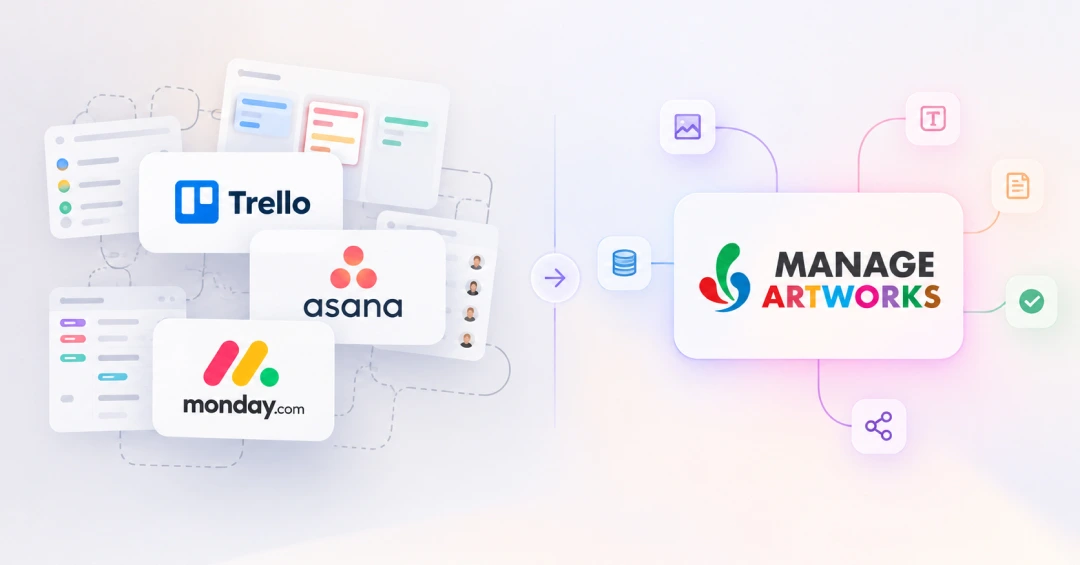
Project management tools like Asana, monday.com and Trello are a natural starting point for managing packaging artwork. But as SKUs, markets and regulatory reviews grow, teams find these tools can track that a task was completed without controlling what was actually approved.  

This guide covers the signs your team has outgrown its project tool, what that gap costs, and what changes when packaging artwork management moves to a dedicated system.

Why teams start here

Using a project management tool for artwork is a sensible first move. These tools are already in the building, people know how to use them, and on the surface a packaging project looks like any other project: a brief, a deadline, a few stakeholders, a sign-off.

For a small portfolio with one market and a handful of SKUs, that setup can hold for a long time. The trouble shows up gradually as SKUs multiply, markets are added, and regulatory reviews get more involved.  

Where the cracks show

Most teams don't decide they've outgrown their project tool. They notice the workarounds piling up. If several of these sound familiar, you're probably already there:

  • Versions travel as attachments. "Final_v7_revised.pdf" sits in a comment thread, and finding the right file means scrolling.
  • Proofing happens somewhere else. Markups are made in PDFs or email, then someone goes back and updates the task.
  • Copy lives in spreadsheets. Ingredient lists, claims and translations get pasted from a sheet that may or may not match the latest spec.
  • Partners work outside the system. Agencies, printers and regulatory consultants receive files by email, so part of the approval chain is invisible.
  • The audit trail is a comment thread. When QA or an auditor asks who approved which version and why, the answer has to be reconstructed.
  • One change becomes forty tasks. Updating a single claim across a product range means creating and chasing every SKU by hand.

None of these are people problems. They're what happens when a process that needs control is run on a tool built for coordination.

What Project tools can’t cover

Here's how the gap usually plays out. A supplier informs the team that an ingredient used in the product has changed, which means the allergen information on the packaging needs to be updated. And someone creates a task: Update back-of-pack label. The designer makes the edit and attaches the new PDF. A reviewer opens it, leaves a comment, approves. The task turns green. But if an older version is still sitting in an email, shared folder or task attachment, it can be picked up by mistake and sent to print.

Nobody skipped a step. The workflow confirmed that a review happened and the task was completed. What it couldn't confirm was whether the artwork contained the latest allergen information, whether the reviewer was looking at the correct version, or whether the file sent to print was the exact version that was approved.

That's the core difference. A project management tool models work as tasks: an owner, a due date, a status. Packaging artwork is a controlled record, where the content, the version, the approval and the regulatory context all have to stay tied together. Without that link, a task can be marked complete while the label is still wrong.

What a dedicated system changes

The bigger shift isn't new features. It's where control sits. Go back to the ingredient swap and run it through ManageArtworks.

The updated allergen statement starts in Copy Manager, giving regulatory teams a controlled source for approved copy. Through the Adobe Plugin, that copy flows into the Illustrator file without being pasted in by hand. ComplAI checks for missing mandatory elements before the file reaches a reviewer, so the review can focus on judgment calls. In Proofing & Compare, the reviewer marks up the artwork directly and sees exactly what changed between v6 and v7, without re-reading the whole pack. Before press, Print Inspection checks the printer's proof against the approved version, so a mismatch is caught before it ships.

External partners stop working around the system too. Agencies, printers and regulatory consultants review and approve inside the same workflow instead of over email, so every step of the approval chain stays visible. Configurable Profiles let those workflows reflect how your teams, partners, markets and product categories actually operate.

Once artwork is approved, it's stored in the Digital Asset Library as the single reference for every SKU. The audit trail exists by default. Who approved what, on which version, and when is recorded as the work happens, not reconstructed afterward.

When to make the switch

You don't need to replace a project management tool because you're managing packaging artwork. You need to replace it when the workarounds around that tool become the process.

If your team is relying on spreadsheets for approved copy, email for external reviews, attachments for version control, and manual checks to make sure the right artwork reaches print, the project tool is no longer managing the artwork. Your team is.

That's usually the point where a dedicated artwork management system starts to make sense. Project tools can remain useful for broader project planning. But when artwork itself needs to be version-controlled, reviewed, validated, approved and traceable, it needs a system built around those requirements.

ManageArtworks brings those controls into one connected artwork workflow, from copy and specifications to proofing, compliance, approvals and print.

Frequently Asked Questions

Can project management tools manage packaging artwork?
Know More

Project management tools can track packaging tasks, deadlines and approvals, but they aren't built to control the artwork itself. For version control, proofing, compliance and traceable approvals, teams need dedicated artwork management capabilities.

When should a packaging team switch from a project management tool to an artwork management system?
Know More

When spreadsheets, email, attachments and manual checks become part of the artwork workflow, it may be time to switch. A dedicated system helps control artwork from copy and review through approval and release.

What is the difference between project management and artwork management?
Know More

Project management coordinates tasks, owners, deadlines and status. Artwork management controls the artwork itself, including its content, versions, reviews, approvals and compliance.

Recent Blogs

Ready to see how ManageArtworks
Could work for you?

Correct
Free for 14 Days
Correct
No card details required

Hear what Our Customers say

Cedar's company logo with an image of a green cedar tree.
We wanted to streamline our label approval process with a functional program that could help us avoid human error, consolidate information, store assets, and provide timelines. ManageArtworks met all of these needs and is extremely user friendly, so our adoption to the software was seamless. The customer service and customization far exceed expectations.
Icon of a stylized helmet with face guard in turquoise and the word HEALTH next to it.
The system's efficiency in handling artwork submissions, revisions, and approvals has not only saved us valuable time but has also enhanced collaboration among team members. Its automated notification feature has greatly reduced communication gaps and improved overall project coordination. the Artwork Management System has been a game-changer for us. Its reliability, ease of use, and comprehensive capabilities make it an indispensable tool for anyone dealing with artwork management.
Borosil brand logo
ManageArtworks has significantly improved our workflows and artwork development process. The tool makes it easy to initiate new projects and set up timelines for artwork development. The ability to store all relevant information in one central location has been a game-changer as it allows us team members to collaborate and communicate seamlessly. Special thanks to the customer support team for their responsiveness and meaningful support.
Chegg logo featuring a stylized open book with blue and green pages and an orange bookmark.
ManageArtworks is an excellent product to work on with. With this tool, our artwork development timelines are coming down and efficiency is getting improved. This tool makes it easy for multiple departments to work together seamlessly. My special appreciation to the support team. They are extremely knowledgeable, listen to all the queries carefully, and come up with solutions quickly. They ensure that the new updates are implemented without disrupting our work.
DrReddys logo with stylized purple text and a heart-shaped design composed of leaf elements.
What sets ManageArtworks apart from off-the-shelf document management systems (DMS), artwork management systems and other collaboration platforms in the market is the fact that it is an integrated solution that brings together DMS, workflows, record management (packaging records & batch records), advanced reporting, analytics and audit trails. Everyone at ManageArtworks from the leadership to the project manager, were willing and able to configure the solution as per our specific needs.
Parle Agro
We are in an FMCG Volume Business where end-to-end artwork ecosystem and quick turnaround time are critical elements. We wanted to digitalize the Artwork Management to eliminate human errors and improve turnaround time. At Parle Agro Ltd, we achieved these objectives with the implementation of the KAROMI ManageArtworks System. The KAROMI project and support team, along with senior management, have proven to be exceptionally supportive, knowledgeable, innovative, and committed throughout the journey.
Parle Agro
We needed a solution to manage our artwork development and approval process better, and found ManageArtworks. With this easy-to-use system, we have been able to effectively reduce time to market, increase productivity, and increase artwork review disciplines to help minimize errors.
Parle Agro
After a year of development, we adopted ManageArtworks for proofreading and validation. Following a trial in the French market, we expanded its use to subsidiaries and export.
This 100% English platform was quickly mastered by internal and external collaborators. It offers centralization, data security, traceability, and streamlined packaging reviews, saving time and effort. After 3+ years, it continues to receive unanimous praise and a growing user base!