





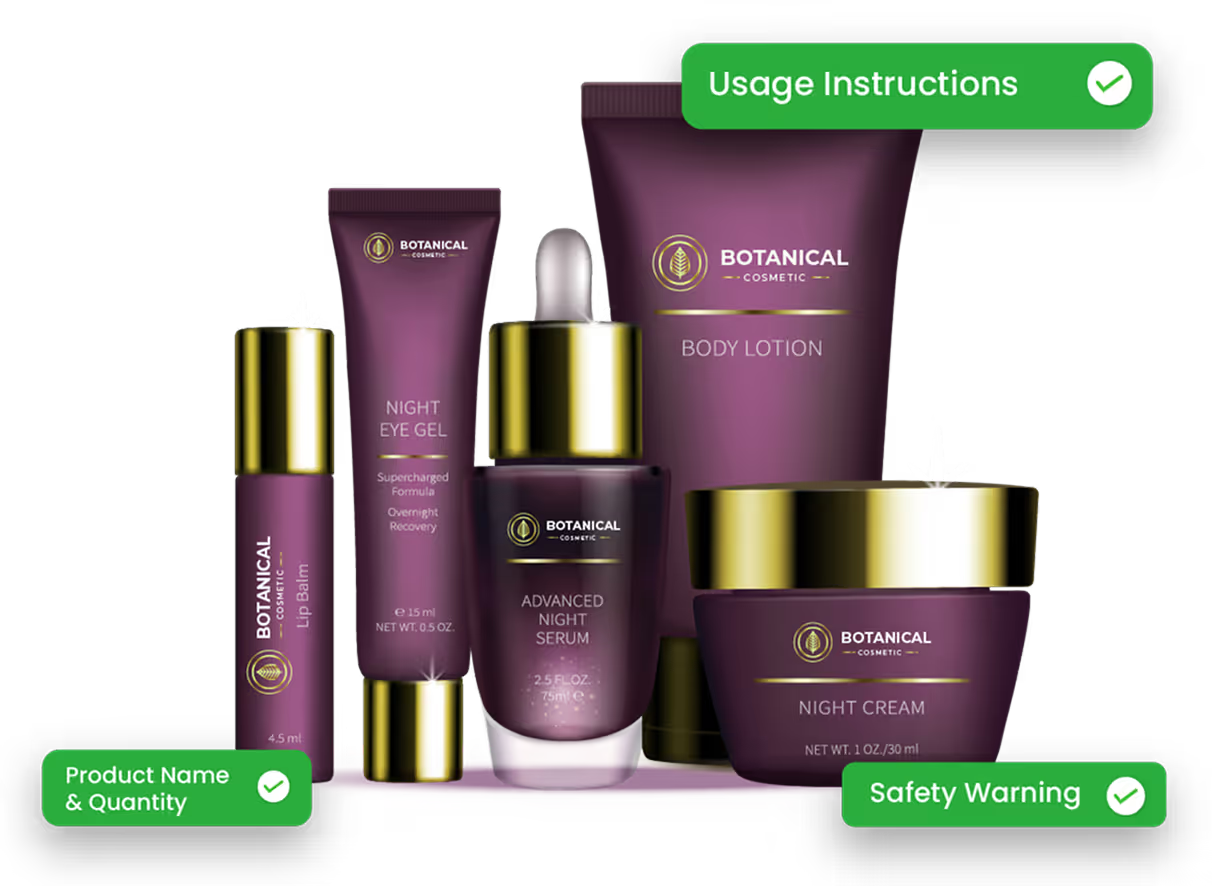
Even the most diligent cosmetic brands, regardless of size, can be caught off guard by labeling compliance issues. One moment, a team is celebrating a successful product launch; the next, they’re navigating the complexities of FDA regulations and unexpected warning letters
With recalls costing 10s of 1000s of dollars and months of reputation repair, the repercussions are far too many, but avoidable.
That's precisely why this checklist exists. Cosmetic labeling isn't rocket science, but precise work demands attention to detail. Use this checklist to understand and comply with the FDA's required cosmetic labeling standards.
Why Cosmetic Labeling Rules Exist
Cosmetic labeling regulations vary drastically depending on where products are sold. European standards differ from American ones. Asian markets have separate requirements. Most entrepreneurs don't realize that you can't create one magical label that works everywhere. In the global scenario, each market needs its own approach.
Let’s take the European cosmetic market, for instance. Non-compliance can lead to products being rejected at customs, blocked from online listings, removed from store shelves, and subject to fines or recalls. The same product might not face such strict rules in the US, where regulations are comparatively lenient. This is sadly evident in statistics, which state that one in five Americans is likely to develop skin cancer by age 70.
The European Union classifies sunscreen as a cosmetic and requires all sunblocks in E.U. countries to provide a “UVA protection factor of 1/3 of the sun protection factor.” However, one analysis of 20 products shows that nearly half of American sunscreens fail that standard.

Here’s a EU vs USA comparison table:
| Category | EU | USA |
|---|---|---|
| Regulatory Framework | EU Cosmetic Regulation (EC) No 1223/2009; SCCS guidance; harmonized rules. | FD&C Act, FPLA; FDA oversight; no pre-market approval; CIR guidance. |
| Responsible Person | Mandatory; must be EU-based. | No equivalent requirement. |
| Product Registration | Required via CPNP before launch. | No mandatory registration; voluntary VCRP. |
| Ingredient Restrictions | Extensive banned/restricted lists. | Few banned/restricted ingredients; the manufacturer ensures safety. |
| Animal Testing | Fully banned. | No federal ban; some state-level bans. |
| Product Claims | Must meet “Common Criteria”; evidence-based. | Must not mislead; FDA can act if drug-like claims are made. |
| Nanomaterials | Notification to the EU Commission is required. | No specific rules; FDA guidance only. |
| Safety Requirement | Must be proven safe for human use | Safety substantiation required under MoCRA |
| Safety Assessment | Mandatory CPSR by a qualified assessor. | No set format; the manufacturer is responsible. |
| Product Recall | Can be mandated by authorities. | The FDA can request, but not mandate. |
| Labeling | Strict format; allergen disclosure required. | Strict but different; color additives need FDA approval. |
Factors that Lead to Mislabeling
With increasing competition, rising demand for new products, and emerging trends, companies often exaggerate benefits they can't scientifically prove. They bury essential safety information that nobody will read. They use confusing ingredient names that mean nothing to actual consumers.
The financial damage of such mislabeling extends beyond immediate penalties. Product recalls drain cash reserves. Legal battles consume months of management attention. Brand reputation takes years to rebuild after labeling scandals make industry news.
That said, let’s look at the top factors that lead to cosmetic mislabeling:
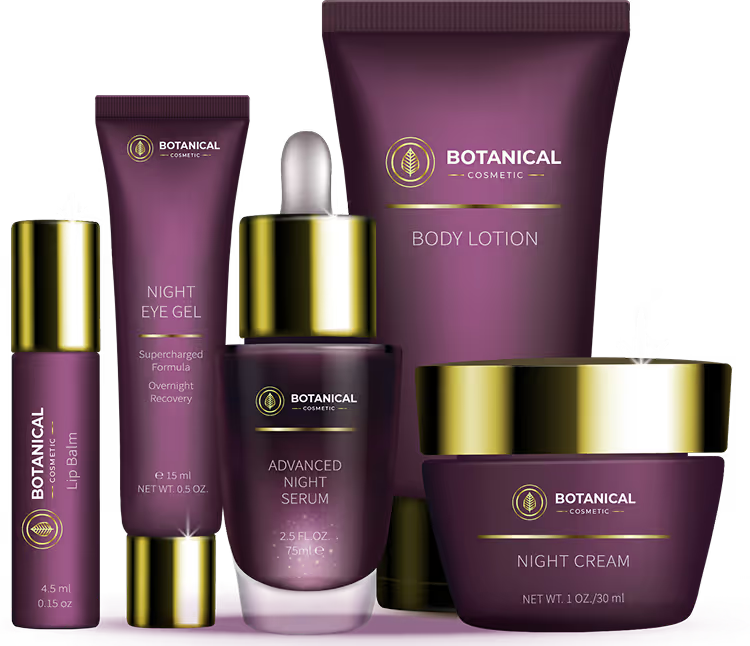

False representations suggesting benefits that the product can't deliver.
Failure to reveal material facts or omitting crucial warnings or risks.
Exaggerated claims or overpromising results without scientific backing.
Non-compliance with regulatory standards and using terms like "organic" without meeting the definition in the market.
Lack of clarity on usage instructions or ambiguous or incomplete application steps.
Missing units of measurement by not specifying grams, millilitres, or other legal units.
Misleading quantity by specifying 30mI on the package when the product contains 28ml.
Cosmetic Label Mandates - Your Complete Labeling Compliance Checklist
The FDA mandates several requirements for Cosmetic labeling:
1. Principal Display Panel

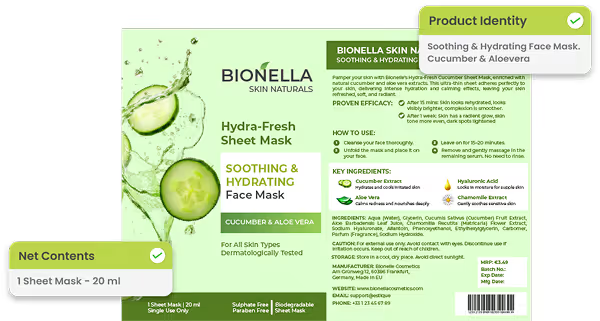
Your main package face needs two critical elements: product identity and net contents.

Include two essentials on the main panel: product identity and net contents.
Follow minimum text size rules based on panel dimensions, but aim for larger, more readable text.
Test label legibility with real customers.
Adjust text size if reading glasses are needed to identify the product name.
2. Information Placement Strategy
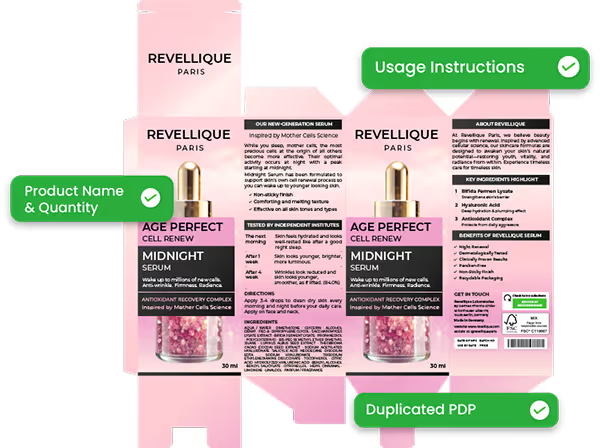
The product name and quantity should be front and center. Everything else can go elsewhere, but it still needs to be findable.
Precisely place the product name and quantity.
If a package has more than one PDP, the information on the PDP must be duplicated on all PDPs.
Ensure usage instructions are easy to find, even if not on the front.
Design the label layout around natural reading patterns.
Avoid hiding essential details in decorative or low-contrast areas.
Assure uniform type size for declaring a product's net quantity of contents by using the size of the surface area bearing the PDP as the determining factor.
3. Making Text Stand Out
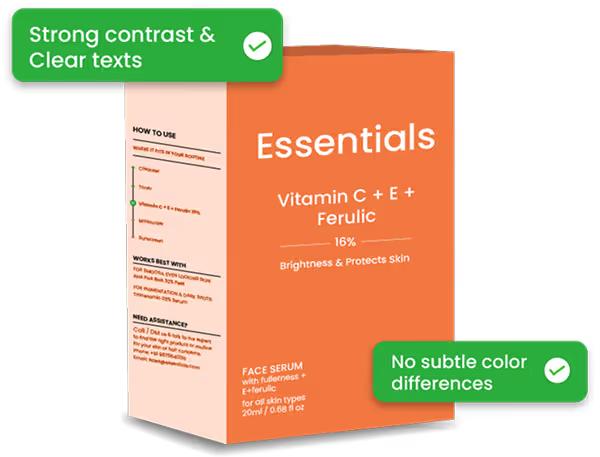
The required information must be visible against your background design. This means real contrast, not subtle differences that look good in Photoshop but disappear under store lighting.
Ensure a under real-world lighting.
Test labels under fluorescent lighting, not just in design software.
Avoid subtle color differences that disappear under store lights.
4. Language Requirements

English is mandatory for US sales, but you can add other languages.
Confirm language compliance for each market.
Use professional translation services for regulatory terms; avoid machine translation for legal content.
If the label contains any foreign language, all statements required by regulation must also appear on the label in the foreign language.
5. Text Size Minimums

Regulations set minimum text sizes based on package dimensions. These aren't suggestions. Inspectors carry measuring tools and check compliance during facility visits.
Follow legal minimum font sizes for the package size.
Declare ingredients in letters not less than 1/16" in height.
Ensure warning statement type size no less than 1/16" unless smaller size established by regulation
Use larger fonts where possible to improve readability and reduce liability.
Verify compliance with measuring tools before printing production runs.
6. Product Identity Clarity
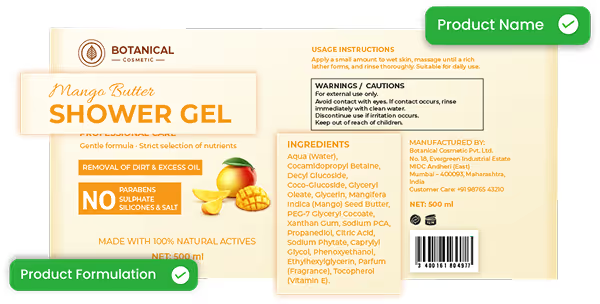
Your product name should immediately communicate what customers are buying.
Use names that clearly describe the product (e.g., “Vitamin C Face Serum”).
Avoid creative names that confuse customers or mislead regulators.
Ensure product identity matches its actual function and formulation.
7. Business Information Display
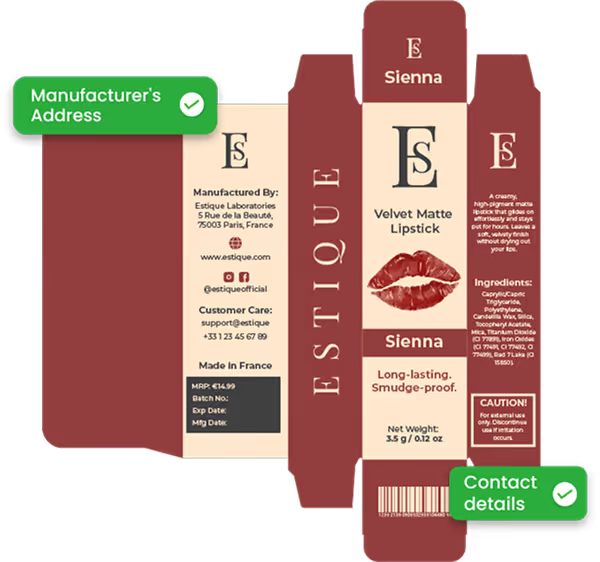
Every package must identify who's responsible for the product. Name, address, city, state, country. Customers need this information to contact you. Regulators need it to track down problems.
Include the manufacturer's or distributor’s full name, street address, city, state, and country.
Use a physical address rather than only a P.O. box when possible.
Make contact details easy to find for customers and regulators.
8. Accurate Quantity Statements
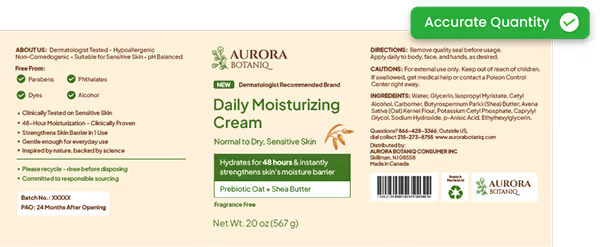
Net contents must match what's actually inside your package. Regulators test random samples and compare declared quantities against actual measurements.
Declare the exact net quantity in metric and US customary units if applicable, in terms of weight, volume, measure, numerical count, or combinations of count and weight, volume or measure
Build quantity verification into quality control processes.
Use the term "net weight" in conjunction with a weight statement.
Ensure actual contents match declared amounts; avoid underfilling.
9. Safety Warning Requirements
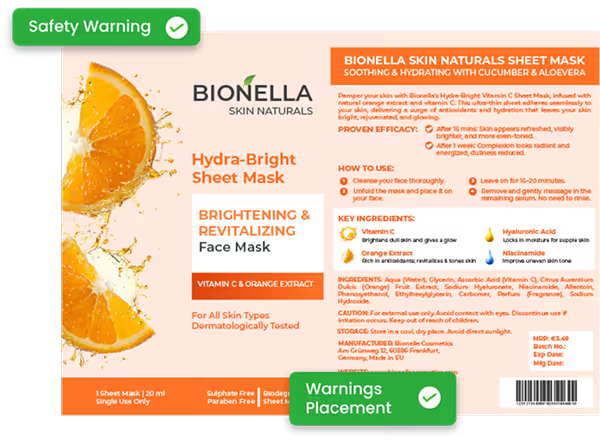
Required warnings use specific language mandated by regulations. Use exactly what's required, positioned where customers see it before opening the product.
Use regulatory-approved wording for all required warnings.
Position warnings where customers will see them before opening the package.
Avoid rewording or softening legally required safety statements.
10. Ingredient List Accuracy
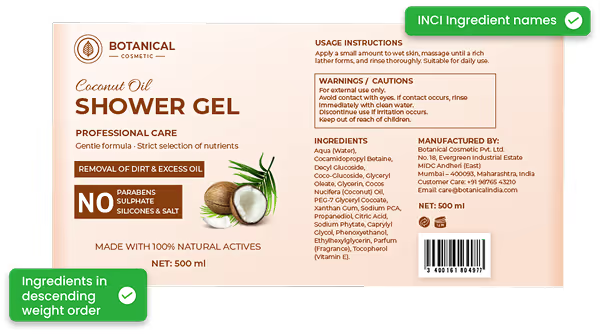
Use INCI names or FDA-approved common names, not marketing terminology.
List ingredients in descending weight order and predominance.
Use standardized INCI names or FDA-approved common names.
Avoid marketing terms in the ingredient list.
Ensure accuracy to build consumer trust and meet retailer compliance checks.

Making This Work For Your Business
Labeling compliance doesn't have to kill creativity, but it requires planning. Start with regulatory requirements, then build your design around those constraints rather than treating compliance as an afterthought.
Work with designers who understand cosmetic regulations. Get a legal review before printing anything. Stay current on regulatory changes through industry associations and FDA communications. Invest in modern cosmetic label management tools like ManageArtworks that automate critical tasks and ensure compliance with evolving regulations.
The money spent on proper labeling always costs less than fixing violations later. More importantly, compliant labels protect your customers and support sustainable business growth over time.